A completely reimagined email builder: drag-and-drop editing powered by Themes
Email teams face 2024 under pressure to produce more relevant content, more quickly, for more audiences. Yet the production process itself often gets in the way. Litmus research into email workflows finds that nearly 40% of email marketers use a building method they do not consider optimal.
Speed is only half the challenge. Brand familiarity remains one of email’s strongest assets: in Litmus’s 2023 Consumer Email Tracker findings, 61% of consumers name recognition of the sending brand as their leading reason to open an email. Every shortcut in production still has to preserve the details that make a message recognisably yours.
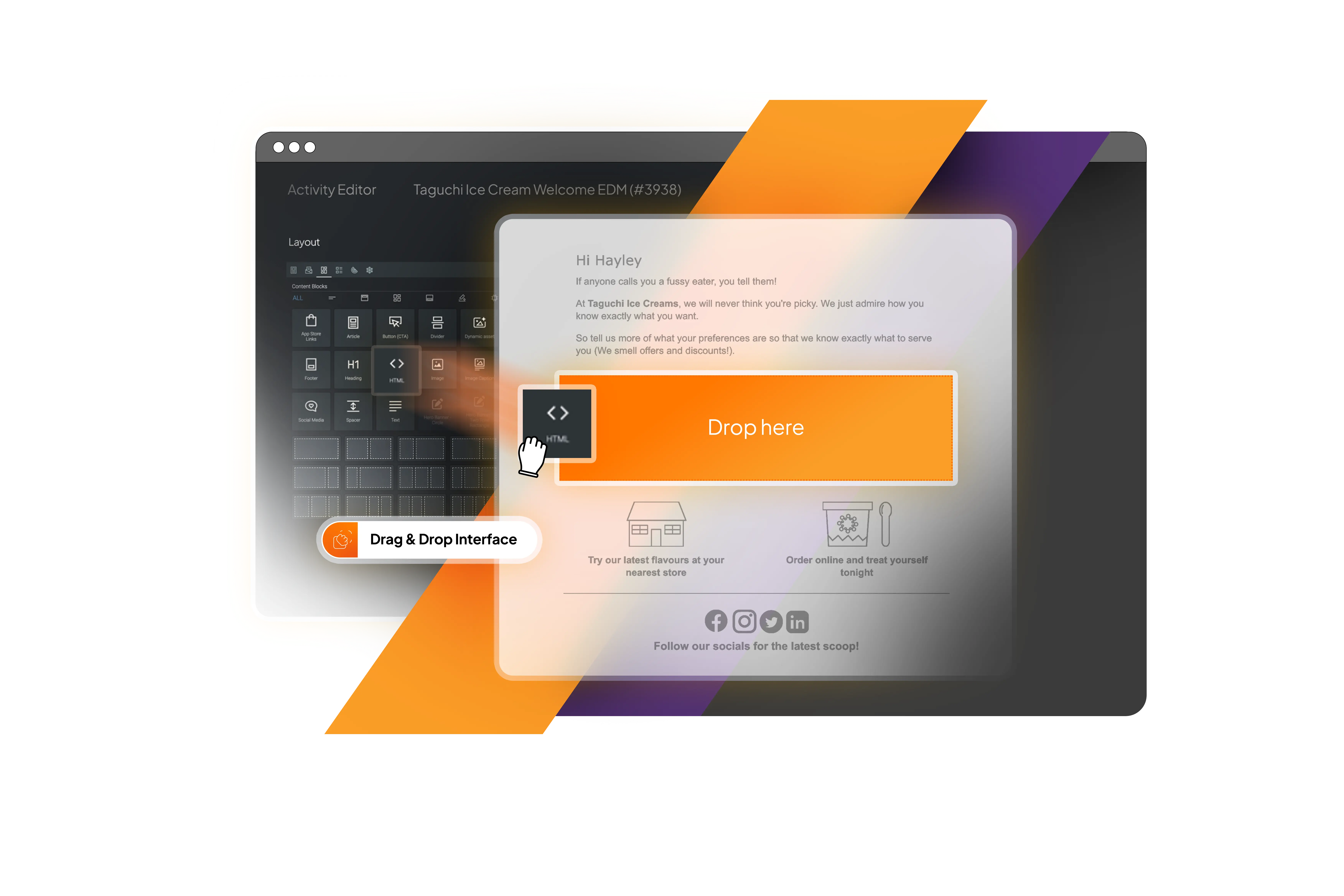
Taguchi’s native V5 activity editor answers both challenges. It is our most significant creative-workflow release yet: a rethink of how campaigns are assembled, previewed and governed, with drag-and-drop creation at its centre and Themes providing the brand foundation underneath.
Build directly in the message
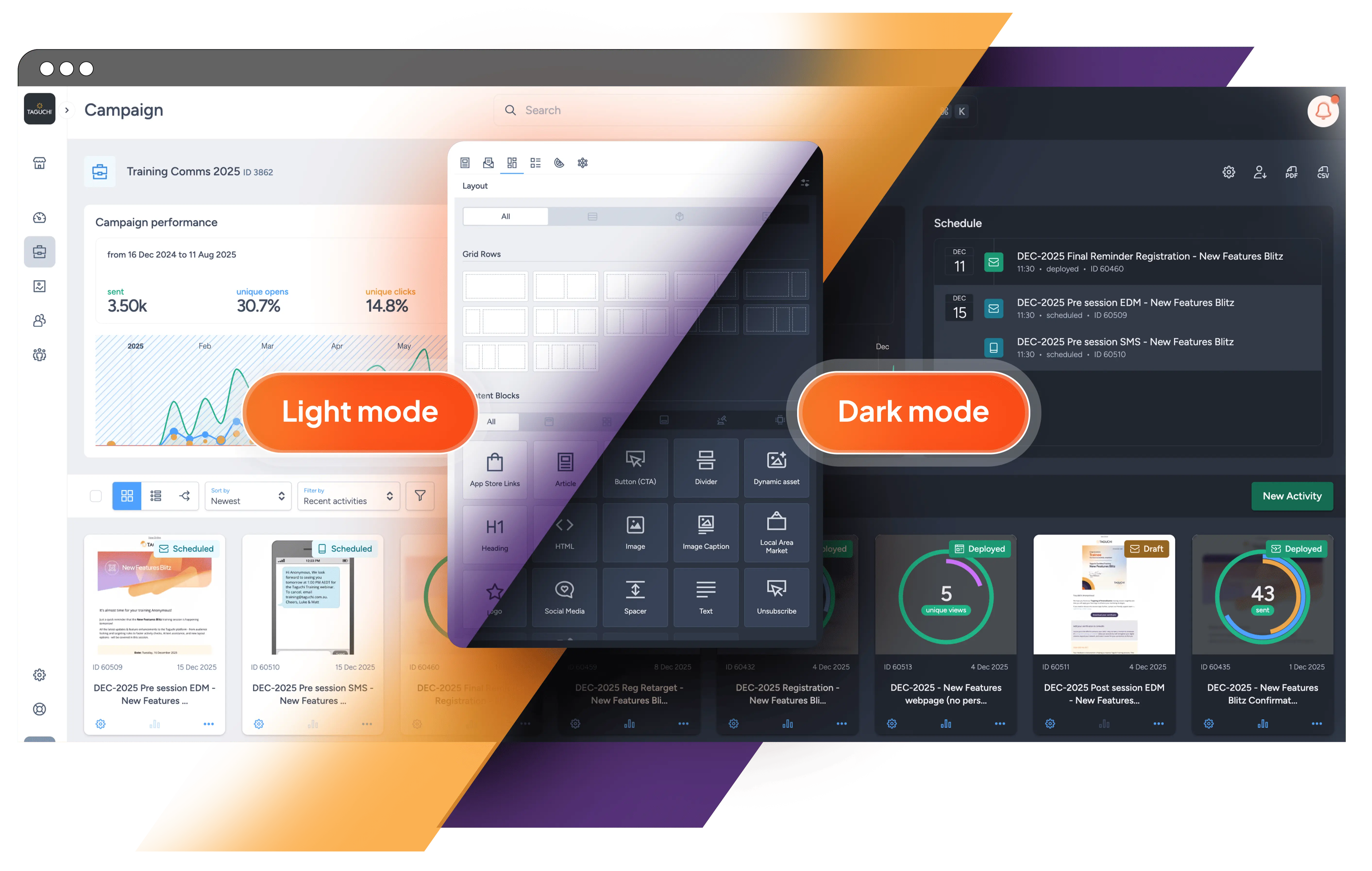
The new editor replaces indirect production steps with one focused workspace. Content controls sit beside a live preview, while grid rows define the structure. Blocks can be dragged into place, moved, copied or removed directly in the preview. Selecting one opens its relevant settings, and desktop and mobile views help teams check the responsive design.
The shared library now includes 16 content-module types across Taguchi’s email and web experiences. Everyday building blocks such as headings, text, images, articles, buttons, dividers and spacers sit alongside dynamic assets, subscriber data, social links, app-store badges and unsubscribe content. The editor presents the modules appropriate to the channel, without asking the user to start from raw HTML.
Code remains available when a campaign requires it, but most marketers can stay close to the content instead of translating each design decision into markup.
Themes turn brand rules into working defaults
A drag-and-drop editor makes creation easier. Themes make it safe to scale.
Instead of rebuilding brand choices in every activity, administrators can define them once in Settings. The Theme experience brings together 12 areas of configuration, including region and language, sender and reply-to details, custom fonts and colours, contact information, social profiles, app-store links, analytics, click-tracking domains and unsubscribe behaviour.
Themes also control global width and typography, content-block styling, links and calls to action. Custom fonts, suitable fallbacks and organisation-specific colour palettes become available in the editor, and new activities inherit Theme defaults from the outset.
This changes the role of a template. The Theme holds the brand rules; a saved layout holds repeatable structure; content blocks hold the campaign message. Because those layers are separate, teams can combine an approved visual identity with different layouts rather than creating a new monolithic template for every use case.
For distributed businesses, a central team can establish the non-negotiables while regional teams choose the structure and content appropriate to their audience. Governance becomes part of building, not a review task added at the end.
Reuse more than individual images
Strong email production depends on remembering and reusing what already works. The uplifted asset library is now available within the editor, with search, visual previews, useful metadata and a direct drag-and-drop path into the activity.
More importantly, reusable content is no longer limited to a single image. A user can save an individual block or an entire grid row as an asset. Taguchi generates a visual preview for the saved item, making sections such as promotional panels, product features, legal content or local footers easier to recognise and use again.
The library becomes a practical content system: teams can assemble messages from proven components and turn a successful one-off design into an organisation-wide building block.
Brand continuity beyond the canvas
The customer’s experience does not end at the edge of the email. Themes carry those decisions too: each can use an authorised custom click-tracking domain and define Google Analytics parameters, reducing repeated setup while keeping measurement consistent. Social and app-store blocks draw on centrally managed destinations, so recurring links do not need to be rebuilt by hand.
The unsubscribe experience can also reflect the brand, with configurable behaviour and a themed page including the organisation’s identity and imagery. This makes an important customer choice clearer and more coherent, while a dedicated unsubscribe block gives editors a straightforward way to include it in every message.
Creative freedom without leaving the workflow
The native editor is not a design tool bolted onto the side of Taguchi. Targeting, segments, subject lines, preheaders, analytics, testing, proofs, approvals and deployment remain part of the activity itself.
Segments can reach into the content structure, enabling different subject lines, blocks or grid content for different audiences. Preview controls make those variations easier to inspect. Revision handling also protects the approval process: changing recently proofed content creates a new revision rather than silently altering what reviewers have already seen.
A new visual foundation for V5
March’s wider V5 interface refresh completes the experience with updated navigation, typography, colours, icons, cards, charts and notifications. The result is a cleaner, more coherent path from the organisation dashboard into campaign creation and reporting.
V5 API support for partitions strengthens the operational foundation as well. Distributed organisations can retrieve, create, update and archive store, branch or franchise data programmatically, helping the local information used in targeting and personalisation stay aligned with source systems.
Together, the editor, Themes, layouts, assets and platform updates create a more scalable workflow. Marketers gain visual control, brand teams gain reusable standards, distributed teams gain room to adapt and technical specialists remain connected through APIs. This is not simply a new way to draw an email; it is a new way to turn brand rules and proven content into relevant communication—quickly, repeatedly and confidently.
For practical guidance, explore the V5 Email Activity Edit Interface, the V5 User Guide and the V5 API documentation on Taguchi Support. To learn more about Taguchi’s customer engagement platform, visit the Taguchi website.