Know your reach before you send: live audience estimates in Taguchi
Personalisation is one of marketing’s biggest ambitions in 2025, but ambition does not always translate into operational confidence. Adobe’s 2025 AI and Digital Trends research finds that personalised experiences are a top priority for 61% of senior executives, while only 47% of practitioners routinely use data and analytics to personalise by segment or persona.
Even a well-considered campaign can stall on a basic question: how many people will it actually reach? Answering that could mean running an extract or waiting for a formal activity check. An unexpectedly large, small or unreachable result sent the team back to targeting.
Taguchi’s latest improvements move that knowledge earlier. Audiences turn segmentation logic into a reusable asset. Live estimation shows likely recipients as targeting is built, while dashboard counts, consent-aware imports and integration status keep that understanding visible through deployment.
Turn targeting logic into an audience asset
A list and an audience answer different questions. Lists manage the communications a customer has chosen to receive. An audience describes a group identified through data and behaviour: members approaching renewal, rising spenders, people at risk of disengaging or subscribers who responded to a journey.
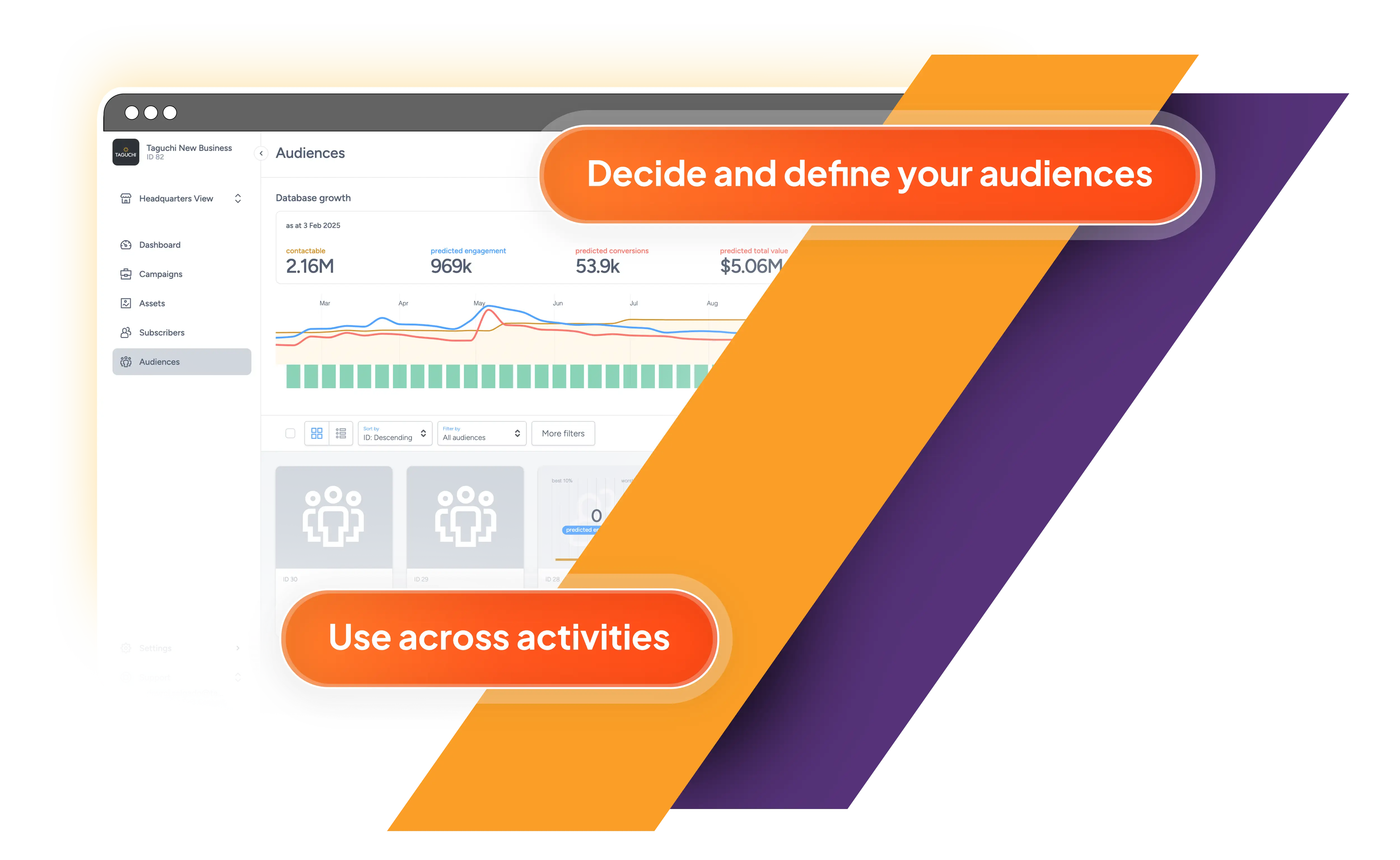
The new Audiences tab gives these groups a home. A marketer can add a clear name and notes, then define membership with a Taguchi target expression. Existing targeting can also be saved as an audience directly from the expression editor without interrupting campaign setup.
Once created, an audience can be referenced in activities, extracts and integrations. Teams use one shared definition instead of recreating complex inclusions and exclusions. If the rule changes, the audience can be updated centrally, reducing repetitive work and inconsistent interpretations.
Each audience also has reporting for its composition, engagement and movement over time. Teams can see contactable, invalid and unsubscribed records, examine growth and engagement trends, review engagement deciles, and download reports or subscriber extracts.
Audiences also respect Taguchi partitions. A national organisation can maintain a common audience strategy while regional, brand or location teams see and use only the members available within their operating scope.
See likely reach while the idea is taking shape
The headline change is live target expression estimation. As a valid expression is assembled, Taguchi calculates in the background and shows progress in the editor. The result is an approximate recipient count, with an error range when there is meaningful uncertainty.
This is not simply a database total. It includes the active partition context, while email and SMS estimates account for people contactable through that channel. The same customer criteria can therefore produce different likely reach across delivery channels.
Immediate feedback makes targeting exploratory. Marketers can add a recency rule, suppress recent purchasers, narrow a geography or test a loyalty threshold and see the audience change. An obviously broad or narrow result appears before it becomes a late-stage surprise.
Teams can also sense-check a brief, assess test scale, anticipate channel costs and discuss trade-offs while campaign choices are still flexible.
Keep the estimate visible—and know when it becomes exact
After targeting is saved, the count appears on activity tiles and list views in campaign folders and the dashboard. Teams scanning upcoming work can understand likely scale without reopening each activity.
An estimate remains guidance rather than a promise. After an Activity Check, Taguchi replaces “Estimated” with “Targeted” and shows a more precise deployment count. Estimation supports fast planning; the final check remains the control point before sending.
Reach is meaningful only when consent travels with the data
Audience intelligence cannot be separated from permission. Since 2024, Gmail’s sender requirements have placed greater emphasis on easy unsubscribe for high-volume promotional senders. Google also recommends processing unsubscribe requests within 48 hours to protect list health, sending reputation and deliverability.
Taguchi’s new subscription-management options help keep preference data aligned when subscriber records arrive through supported imports. A team can nominate a source custom field, choose an equals or not-equals rule and define the value that represents an unsubscribe. That instruction can apply to a particular list or to the subscriber globally.
This does not replace responsible consent collection. It closes an operational gap: when a customer’s status changes elsewhere, the import can carry that decision into Taguchi without manual reconciliation. More accurate permission data means more meaningful estimates and fewer people included where they should not be.
Know whether the data behind the count is healthy
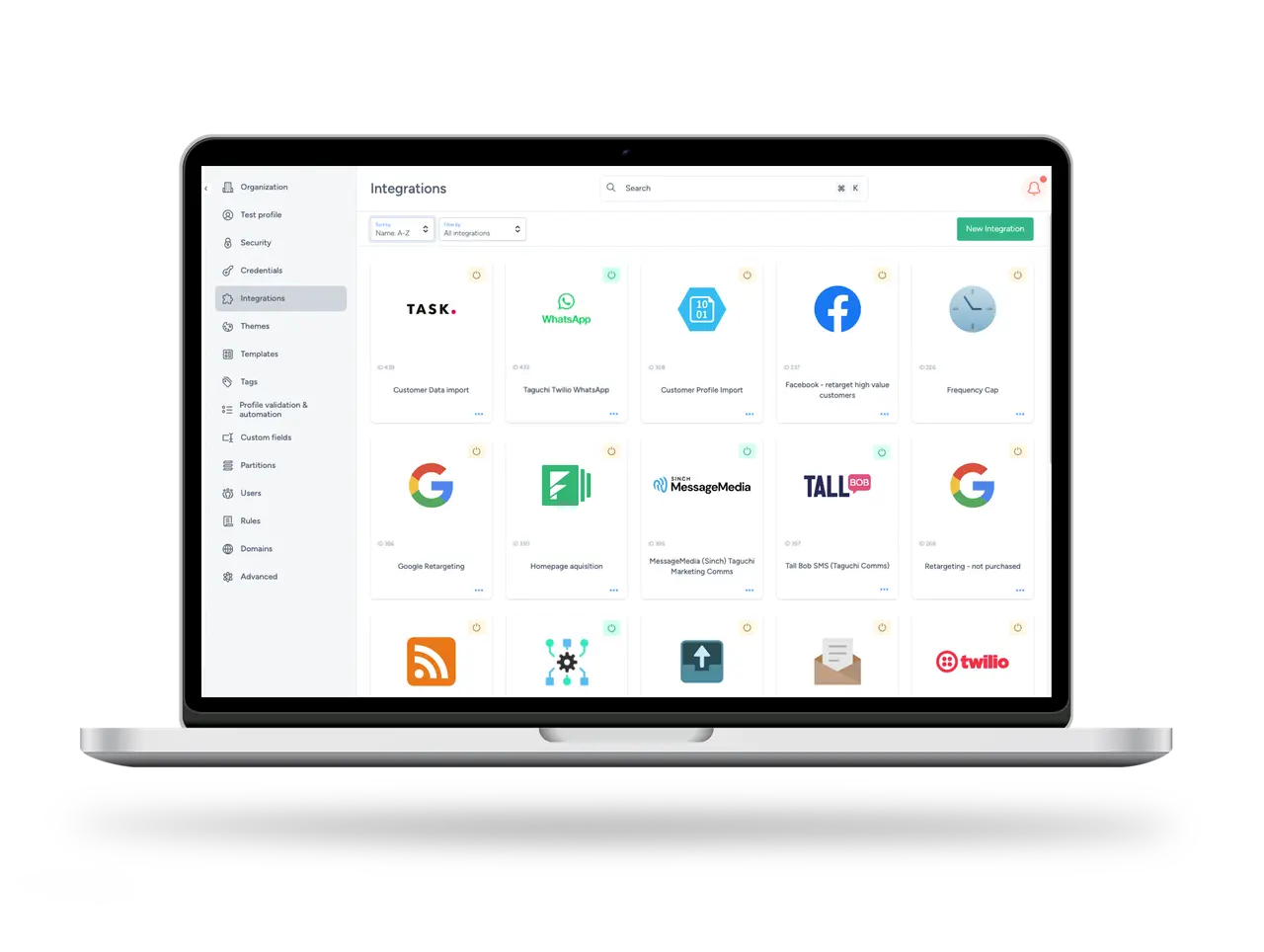
A carefully defined audience is only as reliable as the data feeding it. The new integration statistics modal makes operational health easier to inspect from Taguchi Settings. Statuses identify when an integration has started, remains in progress, succeeds or encounters an error, with timestamps, messages and recent status history available for investigation.
Where available, the view can surface records exported, audience name, estimated size, searchable size and match rate. Marketing gains a clearer signal that data is moving, while technical teams have a direct starting point when it is not.
This visibility completes the targeting picture. A surprising estimate may reflect the audience rule, but it may also point to a delayed import or failed sync. Seeing audience reach and integration health in the same platform helps teams ask the right question sooner.
From targeting confidence to campaign confidence
The most useful targeting intelligence is not a bigger number. It is a clearer understanding of the appropriate, permissioned and contactable group for each communication. Taguchi now helps teams define that group once, observe how it changes, estimate its reach while planning and confirm the final total before deployment.
The result is a more confident workflow: less waiting for exploratory counts, less repeated logic and fewer surprises at send time. Marketers can make decisions while they are still inexpensive to change—and replace “who do we think this reaches?” with an informed answer visible across the campaign.
For practical guidance, explore Audiences, Target Expression Estimates and Integration Status and Logs on Taguchi Support. To learn more about Taguchi’s customer engagement platform, visit the Taguchi website.